
Free Online Video Trimmer
Trim your videos online for free with no watermark. Cut MP4, WebM, and MOV clips directly in your browser and export a clean MP4 without uploading your video.
Local video trimming is not supported on this device or browser. Please use a recent desktop version of Chrome or Edge.
- Trim videos by setting precise start and end timepoints
- Keep videos private without server uploads
Supported browsers: Chrome, Edge, Firefox
Free Desktop Video Trimmer
Trim large video files faster with support for more formats.
- Cut, split, and join large video files quickly
- Convert multiple video files at once
- Save videos as MP4, AVI, MKV, or WebM
Trim videos on Windows 11/10/8/7
Trim Videos Online for Free | No Installation Required
 No Watermark
 Precise Video Trimming
 No Sign-up Required
 Trim Full HD and 4K Videos
 No Server Uploads
Top Features of Our Free Online Video Trimmer
Start Trimming in Your Browser
Choose a video file from your device and start trimming right away without waiting for an upload.

Set Exact Start and End Times
Drag the trim handles or enter exact start and end times in seconds for more precise video cutting.

Choose Fast or Accurate Trimming
Use Auto mode by default, switch to Fast for speed, or Re-encode when exact output timing matters.

Watch and Download as MP4
As soon as processing is finished, watch the trimmed video and download it as an MP4.
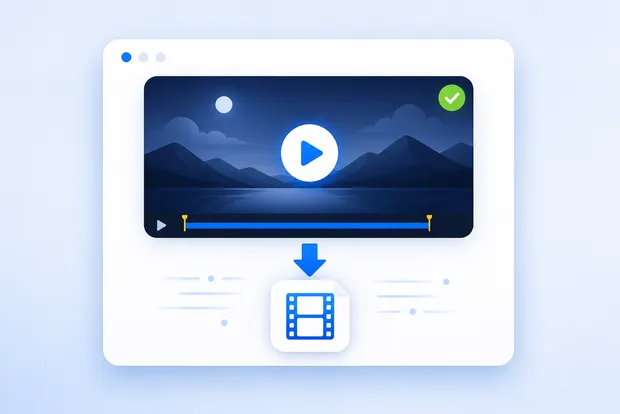
Keep Your Video Private
Your video stays in your browser and is never uploaded to an external server.

Trimmed Result
Need Advanced Features? Try Our Desktop Video Trimmer
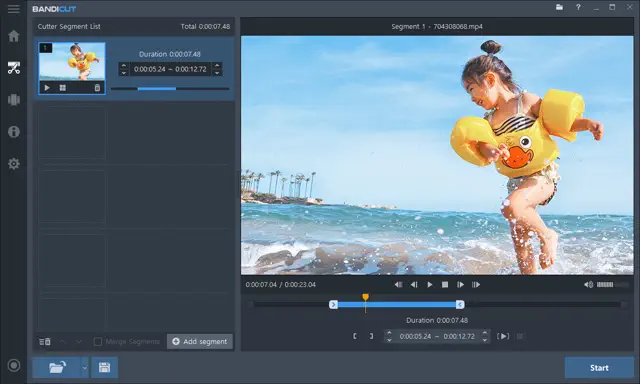
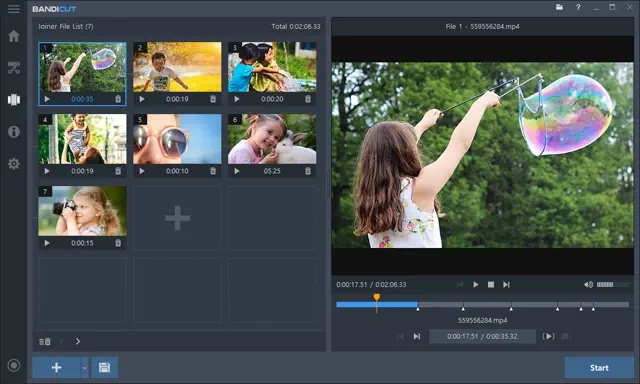
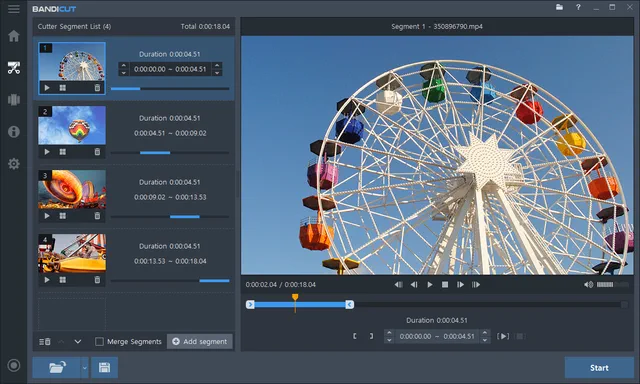
The desktop video trimmer gives you faster trimming, support for more formats, and easier multi-video editing on Windows.
-
Fast Video Cutting and Splitting
Trim unwanted parts or split long videos into smaller clips with better performance on desktop.
-
Join and Merge Video Clips
Combine separate video clips into one file more smoothly on desktop.
-
Large Files and More Formats
Edit MP4, AVI, MOV, MKV, WebM, and more while working faster with large files and long videos than in the browser.
-
Extract Audio from Video
Convert video to MP3 or remove audio from video for tutorials, presentations, and social clips.
-
Hardware-Accelerated Processing
Use NVIDIA, Intel, and AMD H.264 hardware acceleration for faster video cutting and joining with excellent quality.
-
Better for Batch Work
Handle repeated cuts, batch conversions, and longer video editing sessions more easily on desktop.
-
-

Really useful for trimming videos in the browser without installing anything first. For larger files, the desktop trimmer makes more sense, but this is much faster for simple edits.
-

Good for fast clipping when I only need a short highlight. The desktop version is still better for bigger files, but this saves time when I just need a quick trim.
Online Video Trimmer FAQs
Click Start Video Trimmer, choose a video file, set the start and end points, and export the clip. The trimming job runs inside your browser, so the original file stays on your device.
MP4 and WebM usually work best. MOV and other formats also work, as long as your browser can decode the source file correctly.
Yes. The tool is free to use and does not add a watermark to the trimmed MP4 you download.
Yes. Trimming runs in your browser, and your video is never uploaded to the cloud or a server.
Auto tries a fast stream copy first. Fast avoids re-encoding for speed, while Re-encode is slower but usually gives more accurate cut timing.
The online trimmer is free, requires no installation, and adds no watermark. The desktop video trimmer is better for larger files, supports more video formats, and offers a faster workflow for repeated editing tasks.
Chrome and Edge are the most reliable choices. Firefox may work for many files, but desktop Chromium-based browsers generally give the smoothest experience for in-browser trimming.
Fast mode keeps the original streams when possible. Re-encode mode creates a new file and can slightly affect quality, but it is often more accurate for exact cut points.
Videos under 1 GB can be trimmed in the browser. For files 1 GB or larger, the desktop video trimmer is the better option.
I just needed a quick way to trim a short video online, and this was easier than I expected. It was free, fast, and the final clip had no watermark.